
Quick Guide
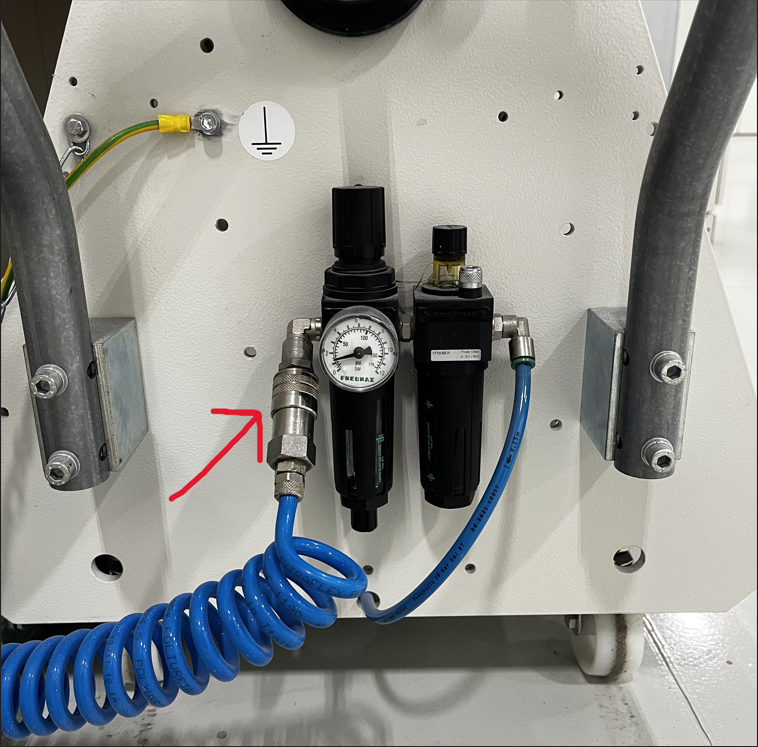
Check to make sure that the air hose is connected to the trolley
- Locate the supply air hose at front of paper trolley.
- Make sure that the quick connect air chuck is connected into receiver at regulator.
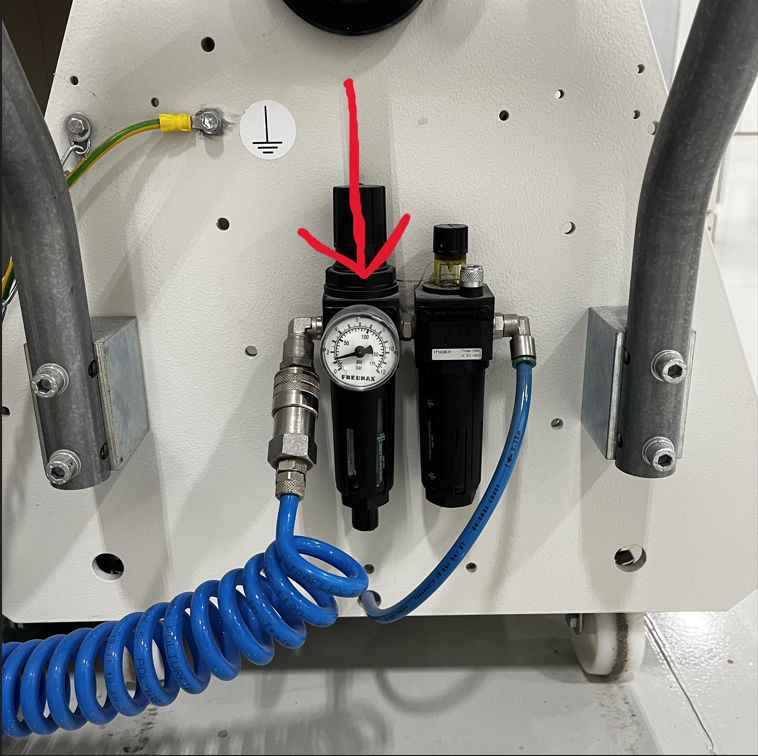
Check to make sure air pressure regulator is turned up
- With the air connected to trolley, increase pressure from the regulator until motor and shaft turn.
- *Note* - If take up paper roll has just been changed, you will need to decrease air pressure until it keeps slight tension from end of spray conveyor to take up roll (no sagging between two points).
- *Note* - If roll has not been changed, air pressure will need to increase to overcome weight of paper roll (will likely need to change paper take up paper roll).
Typical Pressure on Gauge should be 1- 2 bar.
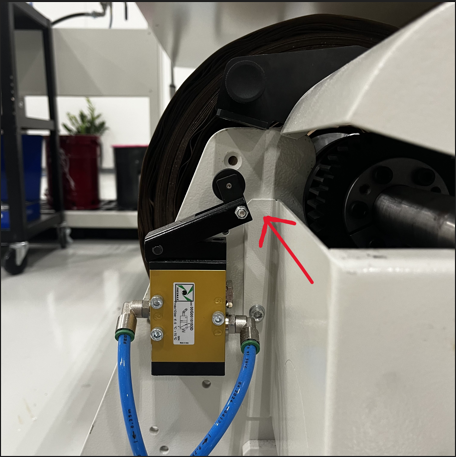
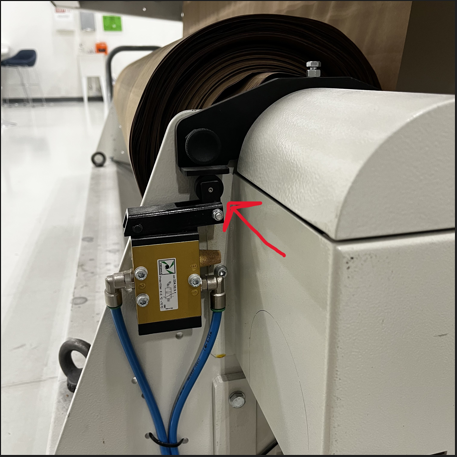
Check the Take-Up Roll Safety Switch
Locate the switch and locking pin on the back of the take-up roll (round cover covering gears).
Ensure the pin is fully pushed in and locked, holding the switch in the engaged position.
If the pin is out of position, the machine will trigger Alarm.
Sensor Verification (If Alarm Persists)
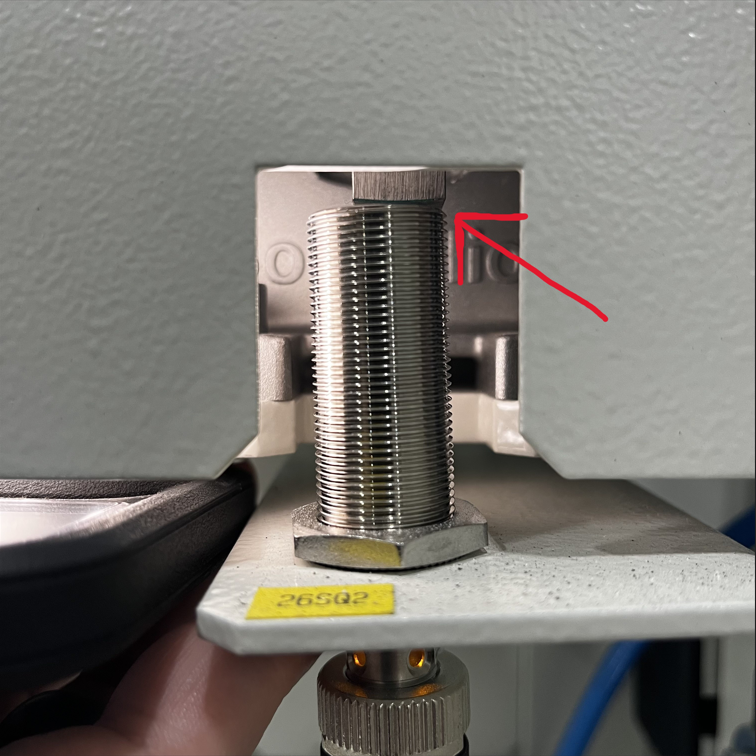
While the take-up roll is spinning, locate the gear and sensor.
The sensor should read the gear teeth (square teeth), switching on and off as they pass.
Use a screwdriver or metal object to confirm the sensor detects movement (orange light will be visible at base of sensor when metal is detected).
Gap Between gear teeth and sensor should be 1-3mm. Adjust sensor closer if it is father away and not sensing gear teeth.
If no response on sensor from metal object or gear teeth:
Check sensor wiring and connections
Replace the sensor if necessary
Return to Normal Operation
Return to the control panel.
Press the red X to clear the alarm.
Machine should now be able to run in automatic cycle
Key Notes
Most alarms are caused by slower or no rotation of paper take up roller.
Always verify sensor operation before replacing parts.